Was debugging Internet performance issues in an office environment recently which was running a Netgear DM200 router – a cheap, slightly dated but still kind of neat little modem that runs BusyBox.
You can ssh to it and run a couple of scripts on it to monitor utilisation.
After some messing around I ended up with this gist, which contains:
a simple shell script one-liner that runs every 10 seconds to pull the interface stats and send them to a PHP script endpoint
the PHP script that collects the stats (just writes them to a file on disk, so requires write permission to data.txt in the same directory as the script)
a super basic PHP script to use as a Prometheus endpoint to scrape for data
I just got the following error trying to upload an image that was 2000 pixels wide:
“Post-processing of the image failed likely because the server is busy or does not have enough resources. Uploading a smaller image may help. Suggested maximum size is 2500 pixels.”
This was confusing because the image was clearly smaller than the maximum size in the error message.
Web search for the error reveals a million different possible causes – this page has a few of the obvious ones, but none of them were my problem.
I tried increasingly slightly smaller versions of the file, then quickly realised what the issue was when it started working once the file size got below 1MB – upload limit in PHP was set to 8MB, and this was being reported in WordPress, but it was not set properly in nginx.
If I’d thought to check the nginx error log sooner I would have seen the following error:
... client intended to send too large body: 1191539 bytes
The fix is of course to just add the appropriate directive in nginx config file to align the upload size with what you have in PHP. Something like:
I often find myself in the situation where I have large files on various online services like Dropbox or various VPSs that I want to backup or otherwise store in Google Drive.
It seems stupid to have to download them to my desktop and then re-upload them. Good news! There’s a way to download straight into Google Drive, using Google Colaboratory.
I stole this trick from somewhere and I use it all the time to upload files directly into Google Drive.
Basically:
Create a new Colab notebook
Add a new cell with the following contents: from google.colab import drive drive.mount('/content/drive')
Run the code. It will prompt you to authenticate this new ‘application’ against Google Drive so it can access your files.
Create a new cell with the following contents: !wget -P /content/drive/My\ Drive https://example.com/test.zip
Run the code. It will download the file, using wget, directly from the requested URL, showing you the live progress.
For bonus points, you can also check the hash of the file once it has downloaded to make sure it has the contents you’re expecting (note here that you can also reference ‘My Drive’ like ‘MyDrive’?): !sha1sum /content/drive/MyDrive/test.zip
I recently embarked on a journey to simplify logins to a client’s network of WordPress sites with Single Sign-On (SSO). I didn’t really care what identity provider was going to be used, but they also used Google Workspace which I knew had support for SAML. I also figured that, being Google Workspace, the support for it would be well established, with lots of nice and simple clicky interfaces.
Nope.
Until this point my only real experience with SSO had been as a consumer; I’ve had many accounts that have implemented some form of SSO (often based on Google accounts) and it has been relatively seamless. But trying to implement it myself from a cold start I found frustrating.
I first tried auth0’s setup with their WordPress plugin, but the auth0 WordPress guide was a little out-of-date. I found the auth0 interface super overwhelming at a glance, and gave up quickly.
Some more searching put me on to the OneLogin SAML SSO plugin (GitHub), which has zero documentation on the WordPress plugins site, in their GitHub, or anywhere else that I can find. The plugin, once installed in WordPress, yields a settings page with a billion different options. While they are mostly well-described, it’s not super-clear what you need to do in order to get up and running, especially with Google Workspace.
Some trial and error and help from this support thread and it was working pretty quickly – although I still don’t know what is going on under the hood, so it will be a while before I decide to use this in any production capacity – so just wanted to document the process as it stands for WordPress and Google Workspace (as of March 2021, anyway).
There are two sides you need to configure to make this work – OneLogin’s WordPress plugin, and the Google Workspace SAML setup.
Log into Workspace Admin, go to Apps, and select “SAML Apps”.
Open the “Add App” dropdown and select “Add custom SAML app”.
Enter whatever for the app name & click “Continue”.
Copy the “SSO URL”, “Entity ID” and “Certificate” fields, taking care to get it all and preserve formatting. (You can download the IdP metadata as well for backup purposes, but you can retrieve this information again easily at any time, so don’t stress.) Click “Continue”.
Now it will ask for your “Service provider details” – “ACS URL” and “Entity ID”. The Learn More link here provides no useful information about what these are or where to get them from – but they come from your WordPress setup.
So now we switch to the WordPress side:
In a new tab/browser, log into your WordPress admin panel and install the OneLogin SAML SSO plugin, and activate it.
Go to Settings->SSO/SAML Settings, which is where this plugin keeps its settings.
At the very top of the page, there is a link: “Go to the metadata of this SP”. Clicking this will open an XML document which has the information needed for the Google Workspaces form.
Two two values we want are as follows (note: both of these values seem to be able to be customised elsewhere in the OneLogin plugin settings):
ACS URL: this is in the tag that looks like this: <md:AssertionConsumerService Binding="urn:oasis:names:tc:SAML:2.0:bindings:HTTP-POST" Location="https://example.com/wp-login.php?saml_acs" index="1"/> – we want the value in the Location field.
Entity ID: this is in the very first tag that looks like: <md:EntityDescriptor xmlns:md="urn:oasis:names:tc:SAML:2.0:metadata" validUntil="2021-03-04T00:22:23Z" cacheDuration="PT604800S" entityID="php-saml">. Default seems to be php-saml.
You can ignore the rest of the fields in the “Name ID” section & just click Continue.
Now we need to configure the Attributes. Basically just replicate the below screenshot (Primary email -> email, First name -> firstname, Last name -> lastname, Primary email -> username).
Click ‘Save’.
Now, back to the WordPress SSO config:
Set “IdP Entity Id” to be the “Entity ID” field that we copied from the Google settings up earlier on.
Set “Single Sign On Service Url” to be the “SSO URL” field.
Set “X.509 Certificate” to have the certificate from the “Certificate” field.
Look for the “Create user if not exists” field. Whether or not you want this checked depends on whether you already have your user accounts set up. It may be easiest, if you’re just trying to get this working at all, to check this and try with an account that doesn’t already exist in WordPress with the same email address.
Look for “Match WordPress account by” and change this to “E-mail”. Google Workspace does not appear to expose any username field (maybe you can make this work with mapping but not sure).
Scroll down to “ATTRIBUTE MAPPING”. As with the Google Workspace-side mapping, we do the same here: Username: username E-mail: email First Name: firstname Last Name: lastname
There are tons of other things that you should look at – for example, “Prevent reset password” might be something you want to do to make sure a user can’t accidentally have their WordPress password reset to bring it out of sync with their Workspace account (I suspect in theory this should not impact things as users should not be able to login without going through the SSO, but in case of WordPress bugs or vulnerabilities in plugins or whatever it’s probably safer).
Once you’re ready, scroll back up to the top and check the “Enable” checkbox.
I strongly recommend opening a new private browser session and logging in as admin at this point, just in case any of this blows up access to your admin section.
Then back to the bottom, hold on to your butts, and click “Save Changes”.
You should now be able to log into your WordPress site with your Google Workspace credentials.
This document is a work-in-progress as I figure out more about what is going on; very interested in comments and feedback.
Other notes:
Single Logout (SLO) does not seem to be supported by Google Workspace at the moment so there is no easy way to log out of all services at once [that I can see].
If you have a Google Sheet with some associated Apps Script code in your personal drive, then you copy it into a shared drive (e.g., your company share), it will strip the project properties, including script properties that you may have (e.g.) set to hold credentials.
This seems like a good plan, to prevent information leaking when scripts are copied around.
Unfortunately, it also seems to permanently remove the ability to add script properties ever again. If you open the Project properties and check the Script properties, the “Add row” link is simply missing.
If you create a new spreadsheet on the shared drive, it will work fine – so in some cases, it might be easy to just copy/paste the spreadsheet info and the app script into an entirely new document, created from scratch.
Unfortunately this didn’t work for my spreadsheet, which had a lot of names ranges, buttons, images, and drawings, which don’t lend themselves to copy/pasting easily.
Been battling this for a while and can’t find a simple solution, although other people seem to have the same problem. There’s also several bugs in Google’s Issue Tracker that seem to be related.
The easiest fix I’ve found is:
Create a new copy of the spreadsheet in my own drive
Delete the scripting from the spreadsheet
Copy the spreadsheet over into the shared drive
Re-add the scripting into the spreadsheet
Add the project properties you need
This preserves all the spreadsheet bits that are frustrating to recreate manually and (for me at least) re-creating the script is a simple copy/paste.
Testing some methods to convert a WordPress site into a static site, I ran into a weird problem when converting the links (using -k or --convert-links in wget) was breaking the mirroring process, putting in the wrong links.
My mirror command was simply:
wget -m -k -nH example.com
The link conversion ended up breaking the internal links – a link like:
<a href="about/index.html">[ About ]</a>
… was being converted into
<a href="index.html?p=2">[ About ]</a>
I was a bit stumped until I noticed that the About page contained the following HTML:
Removing the shortlink by simply adding the following line to wp-config.php (although it should probably go in the theme) fixed the problem:
remove_action('wp_head', 'wp_shortlink_wp_head');
My guess is that wget sees the shortlink declaration and tries to helpfully rename the files to match, but this ends up just breaking the link conversion, rendering the mirror useless.
Launchy is an open source keystroke launcher for Windows. You press a magic key combo (e.g., Win-A, in my case) and a little dialog pops up, in which you can type commands and have them run.
It is very similar to hitting the Windows key in Windows 8.1 or 10 and just typing – it searches through a local database of your files and applications so you can quickly find things and launch or open them.
I am four months into my first Windows 10 machine. Unfortunately, Launchy hasn’t been updated for a while and doesn’t work as gracefully in Windows 10 as I would like:
It doesn’t deal gracefully with high-resolution, 4K displays. Fixable with some tweaks though.
Starting applications on high resolution displays seems to load them in a weird mode where they are blurry. Probably workaround-able.
Win-A is bound to the notification panel on the right hand side, for example, and it doesn’t really deal gracefully with very high resolution displays.
As a result, I have been forcing myself to use the native Windows 10 search, but I find it totally inferior to Launchy in many ways.
Most critically for me, Launchy has some basic tracking on how often you open particular things after you’ve started typing. So it learns, quickly and effectively, what you want to open after you’ve just typed a few letters. Contrast this to Windows 10, where to open my password safe, I have to type pwsafe.exe every single time. (I have to add the `.exe` otherwise it will open the directory in Explorer).
The usability advantages that this confers don’t sound like a big deal, but after something like seven+ years of running Launchy, I find it impossible to go back.
Anyway, I’ve been going through the various other open source alternatives to Launchy that have popped up in the last few years, and thought I’d just jot them down so the next time I go looking, I have a handy list of them.
LaunchyQt, a promising-looking fork of the base Launchy, with some more modern features.
The “Transparency” feature of the newly-released Apple AirPod Pro grabbed my attention. The claim from Apple is that Transparency is “for hearing what’s happening around you” — it “lets outside sound in, and allows things to sound and feel natural when you’re talking to people nearby”.
Even before the launch of AirPod Pro, I had noticed that many people would engage in conversations with their AirPods in. Maybe not long conversations, and people wouldn’t sit in meetings with them on the whole time, but (purely anecdotally) I felt like I would see a lot of people having a chat while still with their headphones in.
It has felt like the usual social stigma of talking to people with your headphones still on was fading a little bit. When I’m wandering around with headphones on, I’ll usually take at least one ear out to make it clear to whoever I’m speaking to that they have my attention.
But Transparency changes the entire game. Instead of assuming that people with headphones in are blissfully unaware of your existence, lost in their own world of music or podcasts or conference calls, we can now wonder if they’re in Transparency mode and actually hyper-conscious of what you’re saying to them, because all the background noises are being stripped out.
This sounds awesome in many contexts. As someone hitting the “middle aged” milestone, I often find it frustrating being in noisy environments and trying to have a conversation. The idea of being able to pop in headphones and have filter out the background noises so I can better hear the people near me talk is appealing.
(It should be acknowledged that Apple weren’t the first ones to come up with this idea. Bose has had conversation-enhancing technology for a while; there might be other vendors with similar technology.)
One of the big challenges though for this sort of technology, however, is the fact that people would generally be self-conscious wearing augmentation hardware in many environments, both social and professional. Think about things like hearing aids and glasses — for many people the vanity issues of these devices, despite being super common and well-established in society, have prevented them from taking them up, often to their own significant detriment.
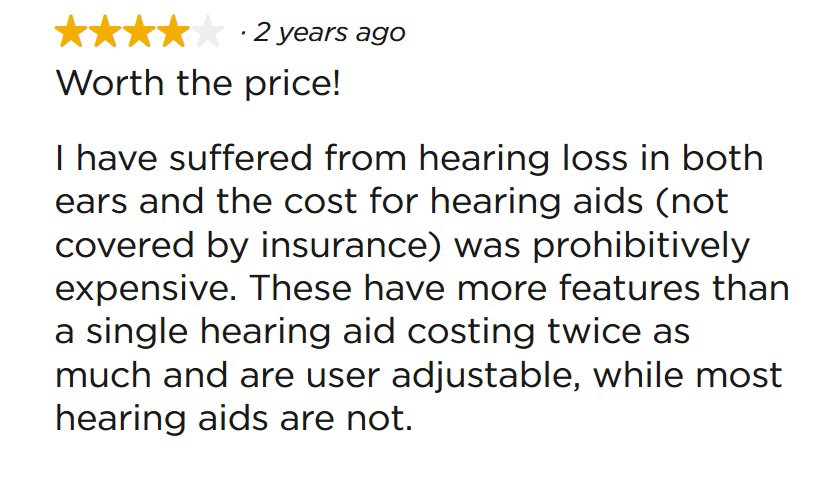
The cost of traditional hearing aids can also be a big factor. If they’re not accessible on your insurance, they might simply be unaffordable — the top models often run into the thousands. While the AirPod Pros are expensive, they might be “good enough” for many users when compared with the expense of hearing aids — cherry picking a single example from the Bose site:
Think about Google Glass and the “glasshole” phenomenon. I was super excited when I first heard about this project. I only ever met one person who was wearing them; while it was weird talking to him wondering what was going on, I still confess to being more nerdishly fascinated by the possibilities than thinking about the implications for those around me (let alone what I’d look like wearing them). The possibilities of a great AR platform have become far more interesting to me than Virtual Reality — even from a video gaming perspective, it feels like in the foreseeable future, there are a lot more fun opportunities in AR than VR.
But Google never really nailed Glass as a platform for the average person on the street and the project was relegated to specific commercial/industrial uses. The backlash against them blew up into all sorts of weird places as society wrestled with the Glasshole Problem, which reportedly triggered physical confrontations and resulted in businesses creating policies to deny service to customers wearing them.
With the recent report that Apple is considering Augmented Reality (AR) smart glasses, it’s easy to start thinking of the AirPod Pro as a way for Apple to test the waters in terms of normalising technological augmentations — headphones and glasses — by making them Cool.
To really drive the mass adoption of AR to the level of smartphones, it will be critical to make the experience of wearing AR hardware not only technically excellent, but also Cool enough so that people are comfortable wearing them regularly.
Apple have done more to make technology Cool than any other company. The iPod set the scene by normalising interaction of music with your computer. The iPhone transformed the world with the smartphone revolution. (I remember being asked by many people, prior to its launch in the Windows Mobile/PocketPC era, “why would you want to check your email on your phone?”, an attitude which is now so far removed from reality it’s hard to even believe it once existed).
More
recently, the Apple Watch has set a new standard for fashioned-based
technology. They are clearly the dominant wearable; as with many other
Apple devices, despite a lot of naysayers being critical of the devices,
they have had a massive impact on how people see and use hardware.
The AirPod Pro has the potential to change the way people think about other hardware augmentations that are more obviously visible in your regular interactions with other people. It seems unlikely they’ll offer a variety of colours so they’re more readily thought of as fashion accessories — the white stems poking out of the ears just seems like it has brand recognition that is too good to pass up on.
But
if they can get people used to conversing with people with AirPods
plugged into their ears in a variety of normal circumstances — in bars,
in meetings, in conversations walking down the street —it is a powerful
step along the way to adjusting the expectations of the entire planet in
terms of other hardware augmentations.
And if there’s any company that can make wearing high-tech nerd computer glasses cool — it’s Apple.
Their growing, evolving knowledge on how to make consumer devices that combine fashion and technology (both software and hardware) to create a unified product that resonates with people means they are uniquely positioned to effect another paradigm shift in terms of wearable computing when it comes to AR. They might be the first company to finally make a product that people feel comfortable enough to wear enough of the time to make them genuinely useful.
Just had a weird issue where I had an Android contact with an old number on the phone, but it didn’t show up in the web contacts version. Took me a while to realise that you can select ‘View linked contacts’ from the menu in the contact view page in the Android Contacts application to see where external numbers are coming from.
In this case, it was from Signal – Signal maintains its own database of contacts. Turns out zombie contacts in Signal populating your Google Contacts is a common problem, but this Github issue implies there’s no easy UI fix for it in the Signal side.
A modified version of the solution posted by riyapenn worked for me, although I had no saved messages from the contact in question – I suspect if you do it might work differently, so look at the full solution.
Re-sync Signal contacts
1) Go to Android Settings or Android Contacts App > Menu
2) Choose Accounts
3) Choose Signal
4) Tap on the Menu
5) Choose Remove Account (the alert of clearing data is incorrect, your messages will not be deleted)
6) Open Signal
7) Tap on the pencil icon in the blue circle
8) Choose the Menu
9) Tap Refresh